Service Functions

Belqavino Capabilities — Organising, Classifying, and Reviewing Information

This page describes the specific capabilities built into the Belqavino service. Each function is part of a coherent information-handling workflow rather than a standalone feature.

Core Capabilities

The four principal functions of the service

Belqavino is built around four interconnected capabilities, each designed to handle a specific aspect of information organisation and review.

Layered Classification

Belqavino applies a layered classification approach to information. Items are assigned to primary categories and, where applicable, to subcategories within those categories. This creates a hierarchical structure that users can navigate from broad to specific, or use to locate related items across different levels of detail.

Structured Review Environment

The review environment presents information in a consistent, structured format across all sessions. Rather than displaying unprocessed content, the interface organises information into sections that support sequential or selective review. Users can examine individual items in context or compare groups of related items side by side.

Relational Organisation

Beyond simple categorisation, Belqavino maintains relational links between items in the information environment. Where two pieces of information share a relevant connection — by topic, by type, or by origin — the service represents that relationship in a way that makes it visible during review. This helps users understand the broader context of individual items.

Segmented Access Controls

The service manages access to different sections of its information environment through a segmented control system. Not all information is available to all users at all times. Access to specific categories or review levels may be subject to the terms of a user's access arrangement. The support team can clarify what access is available following an enquiry.

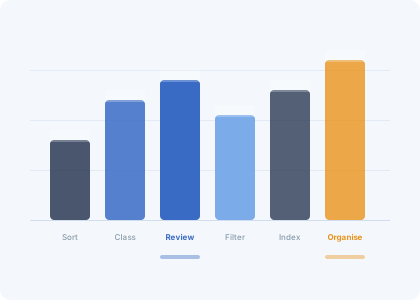
Bar chart illustration representing the relative depth of each Belqavino capability
Classification in Detail

How information is classified within Belqavino

Classification in Belqavino begins when information enters the service environment. The classification layer evaluates each item against a set of defined organisational criteria and assigns it to the most appropriate category. Where an item could reasonably belong to more than one category, the system uses additional criteria — such as source or type — to determine the primary assignment.

Users can see the classification assigned to each item in the review environment. Classifications are not editable by users directly; however, users who believe an item has been incorrectly classified can raise this through the support channel.

The classification system is designed to remain consistent over time. Category definitions do not change without notice, and items that have already been classified are not reclassified automatically when category criteria are updated.
Review Environment

The structured review experience

Within the review environment, information is presented in a consistent tabular and sectioned format. Rows and columns are used where comparison across items is useful. Expanded views are available for items that require more detailed inspection. The layout does not vary between sessions, which means users can develop a reliable understanding of where information will appear and how it will be labelled.

The review environment is designed with legibility as a primary concern. Text density is managed, and visual cues — such as classification badges and category labels — are used to reduce the cognitive effort required to understand where a piece of information fits.

Access Process

How to reach the Belqavino service environment

Access to the service is not automatic. The following steps describe how the enquiry and access process typically works.

1

Complete the enquiry form

Use the contact form on the Connect page. Provide your name, email address, and a description of what you are hoping to use the service for. Select the appropriate request type from the available options. The more context you provide, the more effectively the team can review your request.

2

Team review period

Once your enquiry is received, a member of the Belqavino support team will review the details. The team may contact you to request clarification if your enquiry is incomplete or if additional context would help them understand your needs. No specific review timeline is committed to on this page.

3

Outcome communication

The team will communicate the outcome of the review via the email address provided in the enquiry form. Outcomes may include confirmation of access, a request for further information, or a note that the request cannot be accommodated at this time. The team does not provide written reasons in all cases.

4

Service orientation

Users whose access has been confirmed will receive information about how to navigate the service environment. This includes a description of the sections available to them, the classification categories in use, and guidance on how to raise support enquiries during active use of the service.

Questions about the service? Reach the support team.

If you have specific questions about how Belqavino's classification or review functions apply to your use case, the support team is the right starting point. Use the enquiry form to describe what you need to know.